

TL;DR: One row per job, from first call to closeout. Mirror your ERP’s project number, run everything off eight status values, and record why you lost.
Construction project tracking works when one row is one job and that row survives the whole lifecycle — the first phone call, the bid, the award, the build, the closeout number. Most small contractors instead keep a bid log, a job list, and a margin spreadsheet, and the three never reconcile because no field ties them together.
This build is the list that ties them together, inside Microsoft Lists, in the Microsoft 365 you already have. It is deliberately boring: two required fields, one status column, and a small set of money columns that only mean something once there are forty rows in it.
Why Your Project List Keeps Becoming a Tracker Nobody Trusts
A project tracker dies one of two deaths. Either it is too thin to answer anything — a name and a status and no money — so nobody opens it. Or it is so wide that filling a row takes twenty minutes, so rows get half-filled, and a half-filled row makes every number pulled off the list a lie.
The way out is not more discipline. It is deciding, once, which fields are required and letting the list refuse a row without them. Required means the list will not save it. That is a much stronger instrument than a policy nobody enforces.
The second thing that kills a tracker is numbering. If the tracker mints its own project number, you now have two numbering schemes in the company, and inside a month nobody can tie a job on the list to an invoice in accounting. This is the single most common way a perfectly good list becomes unusable.
The Number You Do Not Get to Invent
Your project number already exists. Your accounting or ERP system mints it — Procore, RedTeam, Sage, whatever you run. This list mirrors it. Teams does not get a vote.
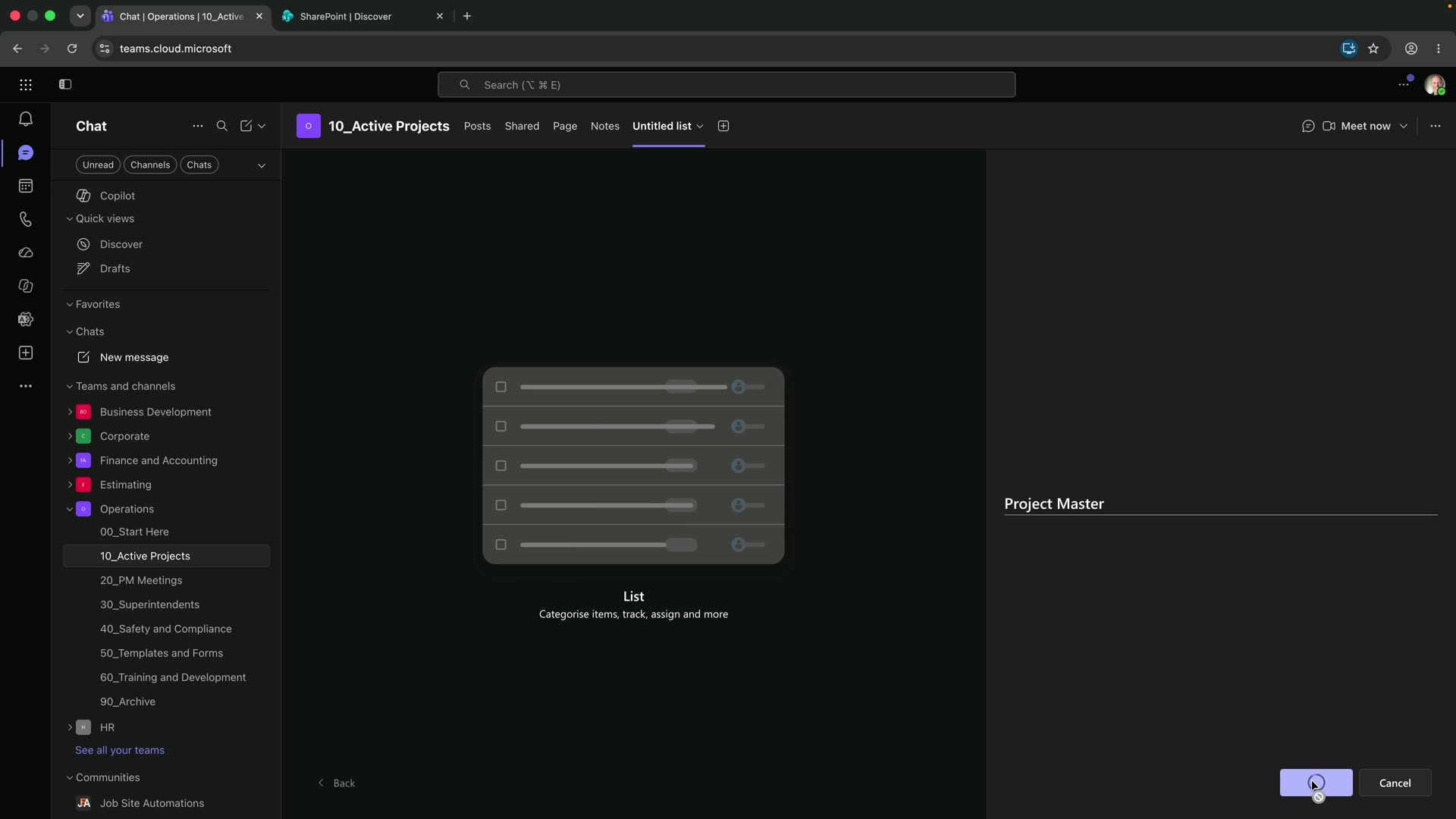
Every new list starts with a Title column you cannot delete, so rename it: Project Number, single line of text, required. Then add Project Name, single line of text, also required. Try to save a row without either and the list refuses.
Two required fields, and every row on the list is now traceable back to accounting. That is the whole reason to do it in this order. Mirror the ERP; do not compete with it.
The Eight Words That Run Everything
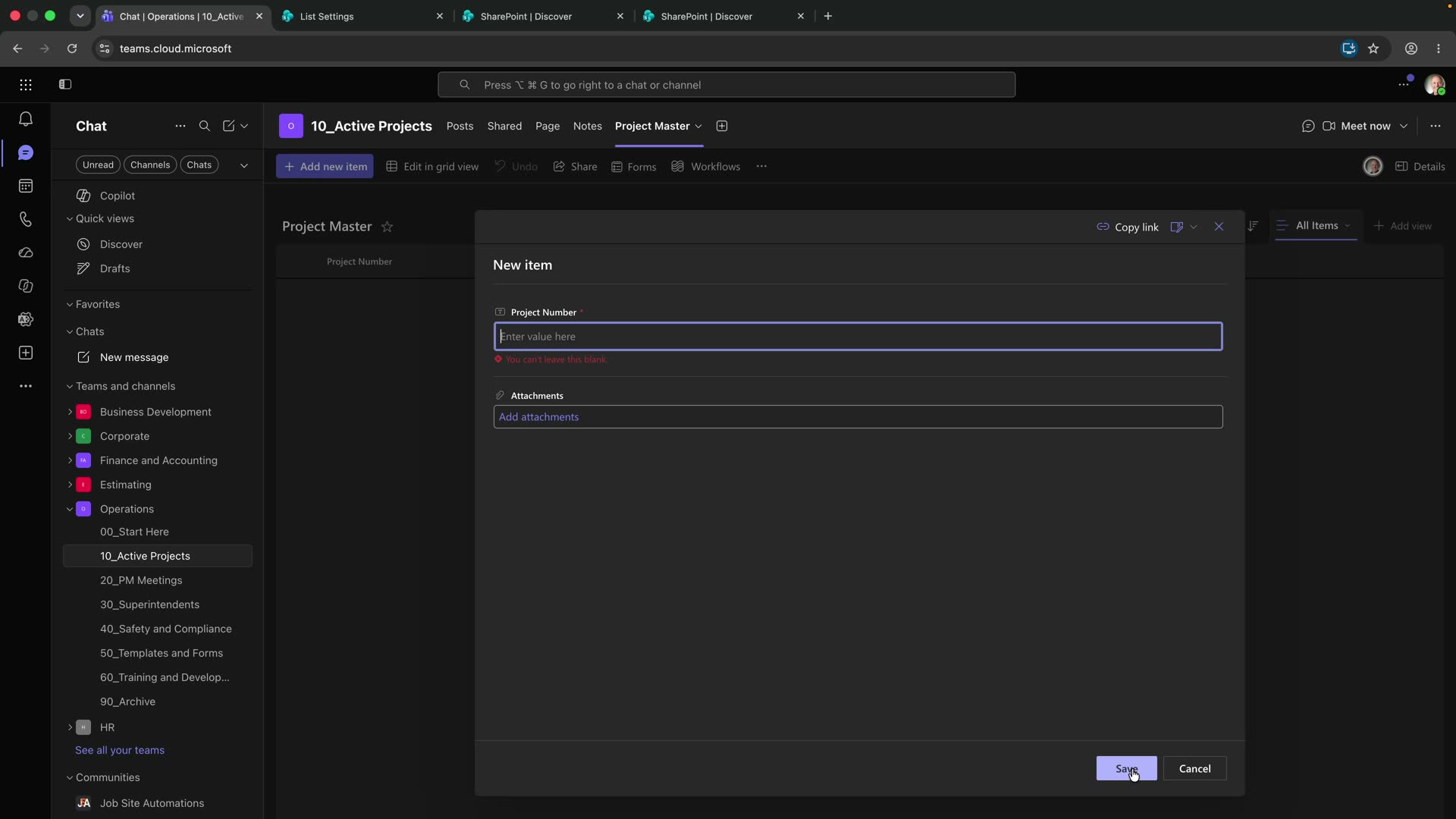
Add one choice column called Status with eight values, in this order: Prospect, Bidding, Submitted, Awarded, In Operations, Closeout, Closed, Lost. Required.
Seven of those are a straight line. You hear about a job, you bid it, you submit, you win it, you build it, you close it out, it is closed. Lost is the eighth and it is not a stage — it is an exit. A job can go Lost from Prospect, from Bidding, or from Submitted, which is exactly why it sits at the end rather than in the middle of the sequence.
Everything downstream keys off this one field. Every departmental view is a filter on Status. Every automation you build later fires on Status changing. Eight values, chosen once, and the ordering is part of the decision — a choice column renders in the order you type it, so the order is documentation.
If you are tempted to add a ninth, check whether it is a stage or a note. “On hold” is usually a note; “Submitted” is a stage, because something measurable happened on a date.
Everything You Know at Bid Time
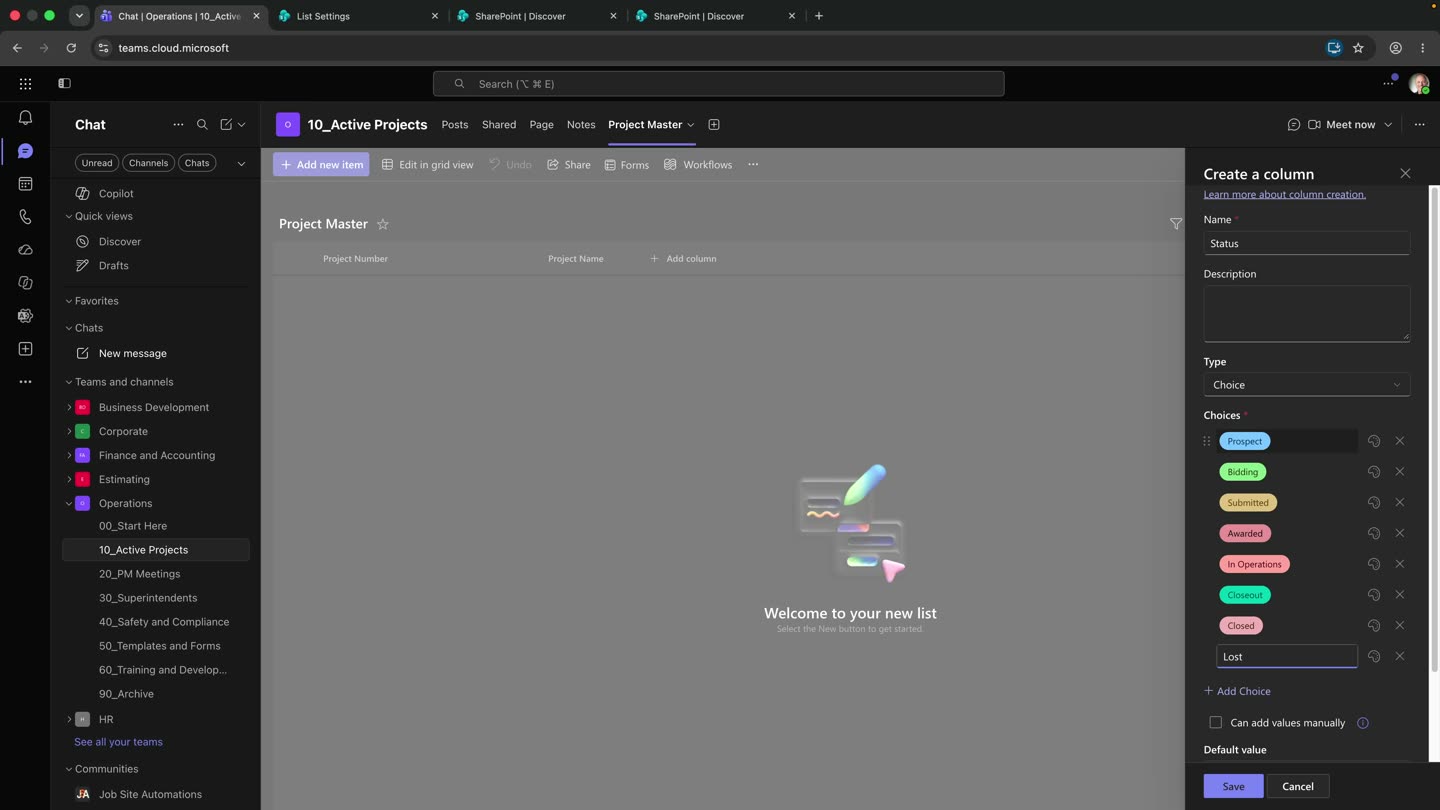
Now the fields you can fill the day the job becomes real: delivery method, contract type, the GC you are bidding to if you are a sub, the bid due date, the estimated contract value, the estimated margin.
Make delivery method and contract type choice columns, and keep them on separate axes. Mixing “lump sum” and “design-build” into one column is the mistake that will cost you the ability to filter either one — one is how the money works, the other is how the project is procured, and a job has one of each.
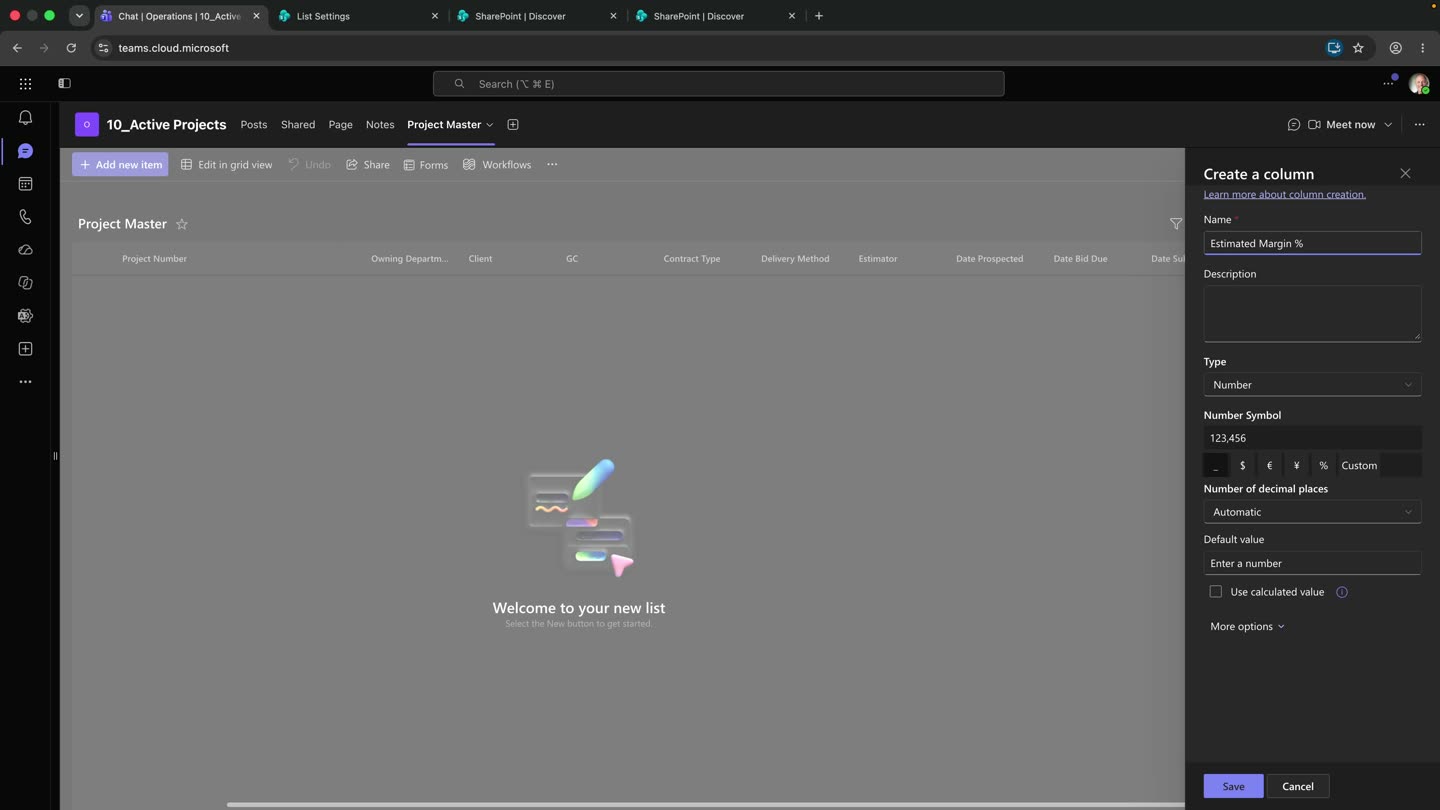
Estimated Margin % is the field that matters later. Put it in at bid time, as the number you actually used, not the number you wish you had used. The whole value of this list arrives in about a year, when you compare it to what happened.
Microsoft’s guidance on common formulas in lists covers both calculated columns and validation, and the limitation to plan around is that a formula only sees its own row.
What the Job Actually Made You
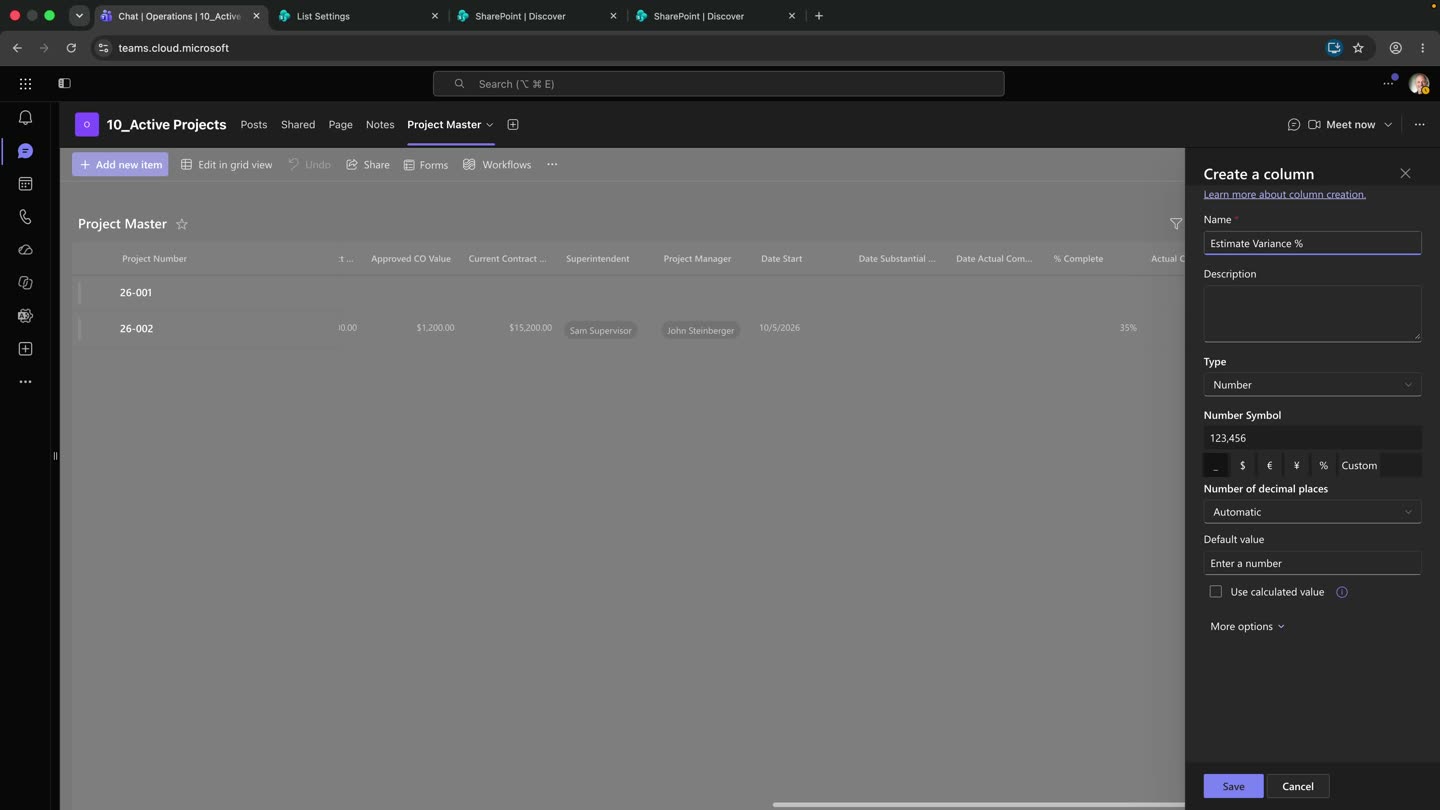
When the job closes, three columns tell you whether you are any good at estimating: Actual Cost, Actual Margin %, and Estimate Variance %.
Variance is the point of the whole list. Estimated margin said 31%. Actual margin says 8.6%. Subtract them: 22.4 points of margin you thought you had and did not. Percentage points, not percent — you are not claiming you were 72% off, you are saying the margin fell 22.4 points.
One job is an anecdote. Forty jobs is a pattern, and the pattern is the only honest answer to “are we any good at estimating?” You cannot get that answer from a bid log, because a bid log stops at the award.
Why You Lost the Rest
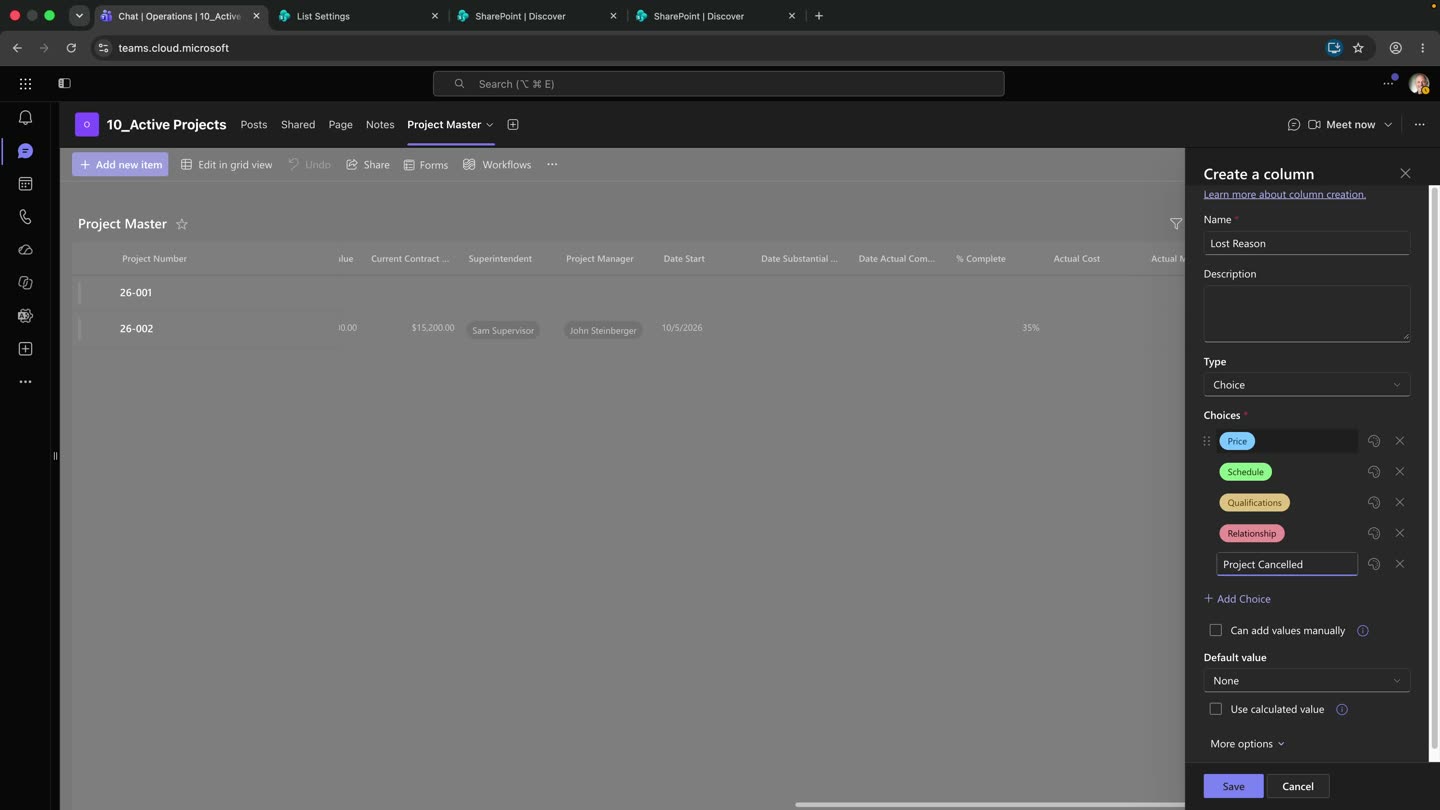
Add a choice column called Lost Reason with five values: Price, Schedule, Qualifications, Relationship, Project Cancelled.
When you lose a job, the client tells you your price was too high. I always ask the same thing back: compared to what? “Too high” is not information — it tells you what they think, not what happened. Did they get other bids? What were they? Half the time you find out you were not high, you were just last to answer.
So: Price, they went cheaper. Schedule, you could not hit their dates. Qualifications, you could not bond it or you had never done one that big. Relationship, they were always going with their guy. Project Cancelled, nobody got it.
Here is what is deliberately not on that list: No Bid. I had it on there and I took it off, because you cannot lose a job you never bid — and the moment no-bids go in this column, every win rate you ever pull off this list is wrong. Win rate is jobs won over jobs decided. A job you passed on was never decided by the customer; it was decided by you, before it was a pursuit. Tighten up what you bid and your win rate climbs without you getting one bit better at estimating. That is not improvement. That is arithmetic lying to you.
Project Cancelled gets its own slot for the same reason: nobody beat you, so you need to pull those out before you count.
And one more, on Price, because it is the value everybody reaches for. If you are a GC who claws points back at buyout, your subs know it, and they pad you on bid day. Your cost basis is high before you ever put a number together. You lose on price with no visible cause and you call it a market problem. It is not. It is a you problem.
Project Tracking Options Compared
| Criteria | One project list in Microsoft Lists | Bid log spreadsheet | Enterprise construction platform | Accounting system alone |
|---|---|---|---|---|
| Covers the full lifecycle | Yes — prospect to closeout | No, stops at award | Yes | Starts at award |
| Ties to your project number | Yes, mirrors the ERP | Whatever got typed | Yes, via integration | It owns the number |
| Estimated vs. actual margin | Yes, side by side | Usually two files | Yes | Actual only |
| Already in your stack | Yes, with Microsoft 365 | Yes | No — separate purchase | Yes |
| Cost | Included | Included, paid in rework | Tens of thousands a year | Already paid |
| Useful on day one | Partly; valuable at 40 rows | Immediately, briefly | After implementation | For invoicing |
Frequently Asked Questions
Should the list calculate variance for me? It can, with a calculated column, and I would type it at first. Calculated columns are easy to get subtly wrong and hard to notice; once the numbers are familiar, automate it.
Why not one list per year? Because the pattern you want lives across years. Filter by a date column instead — that is what views are for.
What if we are a subcontractor, not a GC? Same list. The GC field becomes who you are bidding to, and Lost Reason gets more use, because subs bid far more than they win.
Do I need Power Automate for this? No. Automations are a later layer and they all fire off Status, which is one more reason to get those eight values right before you build anything on top.
How many columns is too many? When a row takes more than a couple of minutes to fill, people stop filling it, and partial rows are worse than no list. Required fields should be the handful you would refuse to run a job without.
Can two departments see different slices? Yes, and that is the next build — six department views off this one list, covered in Six Department Views From One Project List.
Build It With Me
I build these in the tenant I run operations in, on camera, mistakes included.
The column-by-column spec, free, is the Project Master Blueprint. If the margin gap is what brought you here, the Margin Leak checklist is the short version.
If your Teams structure is not sorted yet, start with Microsoft Teams for Construction — this list needs somewhere sensible to live.
Attribution
Written by JD Steinberger — 30+ years in commercial construction, currently VP of Operations for a general contractor. Everything here runs in production before it gets published.
Microsoft documentation cited above: examples of common formulas in lists, create a list.
Leave a Reply